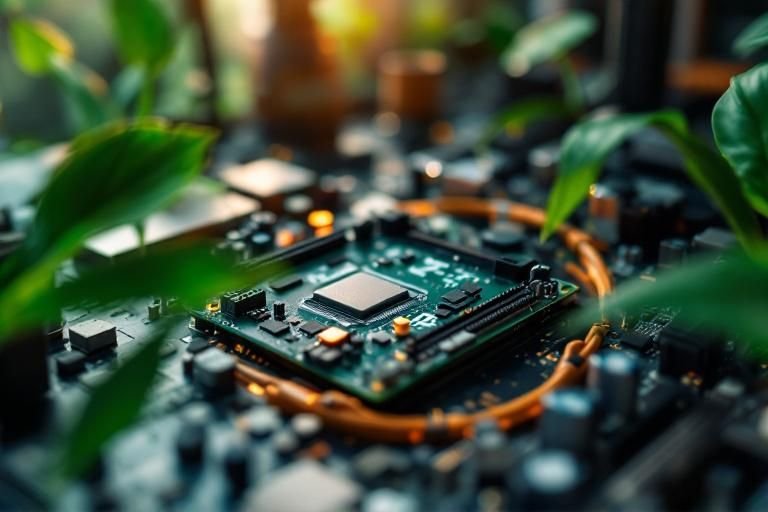
Have you ever wondered why the motherboard is often considered the backbone of a computer build? A well-suited motherboard can significantly influence your system’s performance, compatibility, and upgrade potential. As a seasoned expert in computer hardware and systems, I understand the critical role that this component plays in the overall success of any build. In this article, we will explore the various reasons why the motherboard matters, including its role in connecting essential components, supporting the latest technologies, and enabling future upgrades. Whether you’re a novice builder or a seasoned technician, this comprehensive guide will provide you with valuable insights into making the right motherboard choice for your next computer build.
Understanding the Role of the Motherboard
The motherboard serves as the backbone of a computer build, connecting all components and allowing them to communicate. It provides the necessary circuitry to link the CPU, RAM, storage devices, and graphics cards. This central hub is essential for system stability and performance. Without a well-suited motherboard, even the most powerful components may not function optimally. Therefore, understanding the specifications and capabilities of the motherboard is crucial in any computer build.
Connectivity and Expansion Options
Motherboards come with various ports and slots for connecting peripherals and expanding capabilities. This includes USB ports, PCIe slots for graphics and sound cards, and SATA connectors for storage devices. Choosing a motherboard with the right connectivity options ensures that you can customize and upgrade your system as needed.
Power Distribution and Management
The motherboard is responsible for distributing power to all components. It regulates voltage levels to ensure that each part receives the appropriate power supply, which is vital for maintaining system stability and preventing hardware failures. A quality motherboard will offer efficient power management features to enhance performance.
Key Points:
- The motherboard connects all components in a computer build.
- Choosing the right motherboard can enhance system performance and upgrade potential.
Key Specifications to Consider
When selecting a motherboard, it’s essential to understand key specifications that affect compatibility and performance. Factors such as form factor, chipset, and RAM support are pivotal in ensuring that the motherboard meets your needs. These specifications dictate which CPUs, RAM types, and other components are compatible, making informed choices crucial for a successful build.
Form Factor and Compatibility
The form factor determines the motherboard’s size and layout, affecting case compatibility and cooling options. Common sizes include ATX, Micro-ATX, and Mini-ITX. Ensuring that the motherboard’s form factor matches your case is fundamental to a successful build.
Chipset Features and Capabilities
The chipset on the motherboard influences performance features such as overclocking capabilities and supported technologies like USB standards and PCIe lanes. Understanding the chipset is vital for maximizing the potential of your CPU and other components.
RAM Support and Configuration
Different motherboards support varying types and amounts of RAM. It’s essential to check the maximum RAM capacity and the supported RAM speeds to ensure optimal performance. Selecting a motherboard with sufficient RAM support can future-proof your build.
Key Points:
- Key specifications include form factor, chipset, and RAM support.
- Compatibility with components is critical for system performance.
Understanding the Role of the Motherboard
The motherboard serves as the backbone of any computer build, connecting all components and enabling communication between them. It houses the CPU, RAM, and expansion slots, which are crucial for performance. The choice of motherboard affects not only compatibility with hardware but also the overall functionality of the system. A quality motherboard ensures stability, reliability, and room for future upgrades, making it a key element in maximizing the potential of your computer build.
Compatibility with Components
Choosing a motherboard involves ensuring compatibility with the CPU, RAM, and other components. Each motherboard supports specific socket types and memory standards, which dictate what hardware can be used. Understanding these specifications helps prevent costly mistakes and allows for a smoother build process.
Expansion and Upgrade Potential
The motherboard determines how many expansion slots and ports are available for future upgrades. Whether you’re planning to add a graphics card, sound card, or additional storage, selecting a motherboard with ample PCIe slots and SATA ports is essential for long-term adaptability and performance enhancement.
Key Points:
- The motherboard connects all critical components of a computer.
- It significantly impacts the build’s upgrade potential.
💡 Always check the motherboard’s specifications for CPU and RAM compatibility before purchasing.
💡 Consider future-proofing your build by selecting a motherboard with extra expansion slots.
Performance Factors Influenced by the Motherboard
The motherboard directly affects the performance of your computer by influencing power delivery, cooling options, and data transfer speeds. High-quality motherboards often come with better voltage regulation and enhanced thermal management, leading to improved stability and performance, especially during demanding tasks. Additionally, features like PCIe version support and RAM overclocking capabilities can significantly enhance overall system efficiency.
Power Delivery and Stability
A motherboard’s power delivery system regulates voltage to the CPU and other components. A robust power phase design can enhance system stability and allow for higher overclocking potential. This is crucial for users looking to maximize performance during intensive applications or gaming.
Data Transfer Speeds
The version of PCIe slots (e.g., PCIe 3.0 vs. PCIe 4.0) on a motherboard can affect data transfer rates between the CPU and GPUs or SSDs. Choosing a motherboard with higher PCIe versions can yield significant performance improvements, especially for tasks like gaming or video editing.
Key Points:
- Motherboard quality impacts the overall performance and stability of a computer.
- Data transfer capabilities can enhance system efficiency for demanding tasks.
💡 Opt for a motherboard with a strong VRM design if you plan to overclock your CPU.
💡 Check the motherboard’s supported PCIe version for optimal data transfer speeds.
EXPERT TIPS Pro Advice
Research motherboard reviews and benchmarks before buying.
This helps you assess real-world performance and reliability, ensuring you choose a motherboard that meets your needs.
Look for motherboards with BIOS features for easier overclocking.
User-friendly BIOS settings can simplify the process of tuning your system for better performance.
Consider the size of the motherboard based on your case.
Choosing the correct form factor ensures compatibility with your computer case and airflow management.
Frequently Asked Questions
Conclusion
The motherboard is a vital component in any computer build, influencing compatibility, performance, and future upgrade potential. Understanding its functions and how to choose the right one ensures a balanced system that meets your needs. Selecting a quality motherboard enhances overall stability and longevity.
🎯 Key Takeaways:
- The motherboard connects all computer components, ensuring compatibility.
- Quality motherboards enhance performance and stability.
- Consider future upgrade potential when selecting a motherboard.
- Motherboard size affects case compatibility and expansion options.
Expert Advice: Take the time to research and choose a motherboard that aligns with your current and future computing needs. Prioritize quality and compatibility to build a robust system.
Start planning your computer build by exploring different motherboard options and understanding their specifications.








Leave a Reply