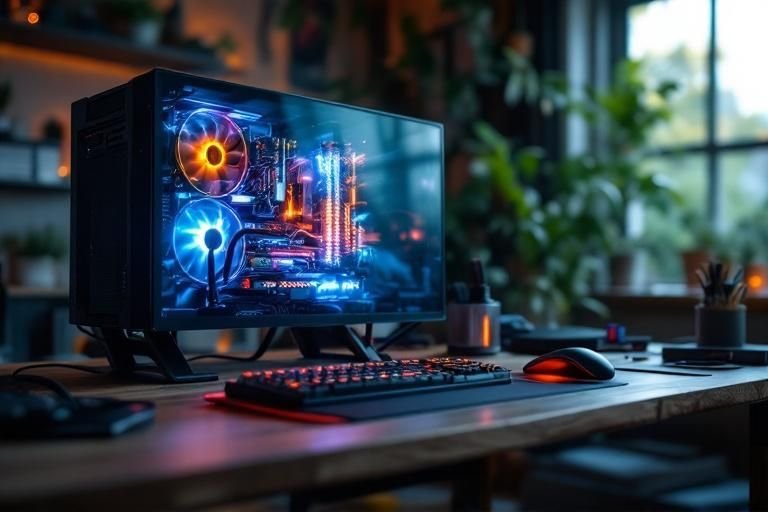
Have you ever wondered why do gaming computers need better cooling? Overheating is one of the most common issues gamers face, leading to poor performance and even hardware failure. As a seasoned expert in PC hardware and thermal management, I understand the critical role that effective cooling plays in maintaining optimal gaming performance. In this article, we’ll explore the reasons behind the necessity for enhanced cooling solutions in gaming computers, the impact of overheating on performance, and how proper cooling can extend the lifespan of your hardware. By the end of this piece, you’ll gain valuable insights into the importance of cooling systems and how to implement them effectively.
Understanding the Importance of Cooling in Gaming Computers
Gaming computers are designed to handle intense processing tasks, generating significant heat in the process. Effective cooling is crucial as it ensures that components, particularly the CPU and GPU, operate within safe temperature ranges. Overheating can lead to thermal throttling, where the system reduces performance to cool down, impacting the gaming experience. Additionally, prolonged exposure to high temperatures can shorten the lifespan of hardware components. Therefore, understanding the importance of cooling is fundamental for any gamer looking to maintain optimal performance and longevity of their system.
Heat Generation During Gaming
When gaming, the CPU and GPU are pushed to their limits, leading to increased energy consumption and heat generation. This heat is a byproduct of the high processing demands of modern games, which often require complex calculations and high frame rates. Understanding how much heat is generated by each component can help in selecting appropriate cooling solutions.
Effects of Overheating
Overheating can cause a range of issues, from system instability to permanent damage. In the short term, players may experience reduced performance due to thermal throttling, while in the long term, excessive heat can lead to hardware failure. Recognizing these effects underscores the necessity of robust cooling systems in gaming rigs.
Key Points:
- Effective cooling prevents thermal throttling
- Overheating shortens component lifespan
Types of Cooling Solutions for Gaming Computers
There are several cooling methods available for gaming computers, each with its benefits and drawbacks. Air cooling is the most common method, utilizing fans and heatsinks to dissipate heat. Liquid cooling, on the other hand, offers superior heat transfer efficiency and can be quieter than air cooling. Understanding these options helps gamers make informed decisions about which cooling system best suits their gaming setup and personal preferences.
Air Cooling Systems
Air cooling systems typically involve fans and heatsinks to cool components. While they are generally more affordable and easier to install, their effectiveness can diminish in high-performance setups. Well-placed airflow within the case is essential for maximizing the cooling potential of air systems.
Liquid Cooling Solutions
Liquid cooling solutions use a closed-loop system to circulate coolant through a CPU or GPU block, dissipating heat more effectively than air. While typically more expensive, they can provide superior performance, especially for overclocked systems. Additionally, they often run quieter, making them ideal for gamers seeking a quieter environment.
Key Points:
- Air cooling is common and affordable
- Liquid cooling offers superior efficiency and quiet operation
Understanding Heat Generation in Gaming Computers
Gaming computers are designed to handle high-performance tasks, which generates significant heat. High-end CPUs and GPUs push their limits during intense gaming sessions, leading to thermal throttling if not properly cooled. When components overheat, they reduce performance to prevent damage, which can result in dropped frames, lag, and a suboptimal gaming experience. Therefore, understanding how heat is generated is crucial for gamers who want to maintain performance and longevity of their systems.
Components That Generate Heat
The primary sources of heat in gaming computers are the CPU and GPU. These components can reach temperatures exceeding 80 degrees Celsius under load. Additionally, other parts like the power supply, motherboard, and RAM also contribute to overall heat generation. Recognizing the heat output of each component helps in designing an effective cooling strategy.
Impact of Overheating
Overheating can lead to thermal throttling, where the system reduces performance to lower temperatures. This not only affects gameplay but can also shorten the lifespan of components. Continuous exposure to high temperatures can cause permanent damage, making efficient cooling essential for maintaining system integrity.
Key Points:
- High-performance components generate significant heat.
- Overheating can lead to performance drops and hardware damage.
💡 Keep your gaming area well-ventilated to maintain ambient temperature.
💡 Regularly clean dust from fans and vents to ensure efficient airflow.
Cooling Solutions for Enhanced Performance
To combat heat generation, gaming computers require effective cooling solutions. There are various methods to cool down components, including air cooling, liquid cooling, and advanced cooling systems. Implementing the right cooling strategy can drastically improve performance, system stability, and user experience during intensive gaming sessions.
Air Cooling Techniques
Air cooling is the most common method, using fans and heatsinks to dissipate heat. Ensuring proper airflow within the case is vital; this can be achieved by arranging fans to create a positive airflow, which helps in pulling cool air in and pushing hot air out. Regular maintenance, including dusting off fans and ensuring unobstructed airflow, enhances effectiveness.
Liquid Cooling Systems
Liquid cooling systems use coolant to transfer heat away from components more efficiently than air. They are quieter and can handle higher thermal loads, making them ideal for overclocked systems. However, they require more installation effort and maintenance, so understanding the benefits and trade-offs is essential for gamers looking to invest in this option.
Key Points:
- Effective cooling solutions are essential for performance and longevity.
- Air and liquid cooling offer distinct advantages based on user needs.
💡 Consider upgrading to a liquid cooling system for better thermal management in high-performance builds.
💡 Monitor your system temperatures regularly to detect overheating issues early.
EXPERT TIPS Pro Advice
Invest in high-quality thermal paste.
Applying high-quality thermal paste can improve heat transfer between components and heatsinks, enhancing cooling efficiency.
Utilize RGB fans for aesthetics and performance.
While primarily for aesthetics, RGB fans often come with better airflow technology, ensuring your system remains cool while looking good.
Implement a fan curve strategy.
Adjusting fan speeds based on temperature can reduce noise while ensuring adequate cooling when needed.
Consider case airflow optimization.
Organizing cables and ensuring unobstructed airflow can significantly improve overall cooling performance.
Plan for future upgrades.
Design your cooling system with potential upgrades in mind; ensure your setup can accommodate additional fans or liquid cooling components.
Frequently Asked Questions
Conclusion
Gaming computers demand superior cooling solutions due to their high-performance nature and heat generation. Implementing effective cooling methods, monitoring temperatures, and ensuring proper airflow are essential for maintaining performance and prolonging hardware lifespan. Understanding these aspects is vital for any serious gamer.
🎯 Key Takeaways:
- High-performance gaming generates significant heat.
- Overheating can lead to hardware damage and performance loss.
- Improving airflow is critical for effective cooling.
- Dedicated cooling systems outperform regular fans.
- Regular temperature monitoring is essential for longevity.
Expert Advice: Invest time in understanding your cooling options and regularly maintain your system to ensure peak performance. A proactive approach to cooling will enhance your gaming experience and extend the life of your components.
Take the next step by evaluating your current cooling setup and exploring ways to enhance it for a better gaming experience.








Leave a Reply