Have you ever experienced the frustration of a hard drive failure? With studies showing that nearly 70% of hard drives will fail by the time they reach 4-6 years of age, understanding why do hard drives fail over time is crucial for data preservation. As a seasoned expert in data storage solutions, I have analyzed the common factors leading to hard drive failures, including mechanical issues, environmental conditions, and user errors. In this article, we will explore the primary reasons behind hard drive failures, how to identify early signs, and effective strategies to prolong the life of your storage devices. By the end, you will be equipped with the knowledge to protect your valuable data and enhance your hard drive’s longevity.
Understanding Hard Drive Mechanics
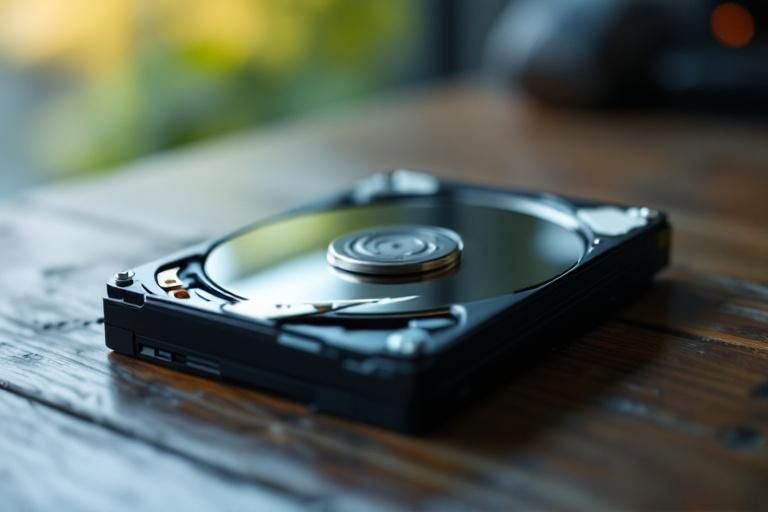
Hard drives are complex devices that store data magnetically on spinning disks called platters. Over time, the mechanical components of hard drives can wear out, leading to failure. The most common types of hard drives are Hard Disk Drives (HDDs) and Solid State Drives (SSDs). HDDs use moving parts, making them more susceptible to mechanical failure, while SSDs, which rely on flash memory, have no moving parts but can still fail due to electronic issues. Understanding how these components work helps to appreciate why failures occur over time.
Types of Hard Drives
HDDs and SSDs are the two main types of hard drives. HDDs consist of spinning disks and read/write heads, while SSDs use NAND flash memory. HDDs are prone to physical damage and wear and tear, while SSDs face challenges like write endurance and data retention. Knowing the differences helps in understanding their respective failure modes.
Mechanical vs. Electrical Failures
Mechanical failures in HDDs often stem from wear and tear, including head crashes and platter degradation. In contrast, SSDs can fail electrically due to issues with the controller or power loss. Recognizing these failure types is crucial for data preservation and recovery strategies.
Key Points:
- HDDs have moving parts, increasing mechanical failure risk
- SSDs can fail due to electrical issues despite having no moving parts
Common Causes of Hard Drive Failure
Hard drives can fail for various reasons, including physical damage, environmental factors, and use patterns. Physical damage can occur from drops or shocks, while overheating and humidity can harm internal components. Additionally, overuse or improper shutdowns can lead to data corruption and drive failure. Understanding these causes can help mitigate risks and prolong hard drive life.
Physical Damage
Physical damage is one of the leading causes of hard drive failure. Dropping a hard drive or subjecting it to strong impacts can cause the read/write heads to collide with the platters, leading to irreversible data loss. Always handle drives carefully and keep them in protective cases.
Environmental Factors
Environmental factors such as temperature, humidity, and dust can significantly impact hard drive lifespan. High temperatures can cause overheating, while excessive humidity can lead to corrosion. Maintaining a stable environment can minimize these risks and enhance durability.
Usage Patterns
How a hard drive is used can also affect its longevity. Frequent read/write cycles can wear out the drive faster, particularly in HDDs. Adopting best practices, such as regular backups and avoiding heavy workloads, can extend the life of hard drives.
Key Points:
- Physical damage can lead to catastrophic failure
- Environmental conditions play a critical role in hard drive health
Understanding the Mechanisms of Hard Drive Failure
Hard drives are intricate devices that can fail due to several mechanical and electronic factors. One primary reason is wear and tear from regular use. The moving parts inside traditional hard drives, such as the read/write heads and spinning platters, can deteriorate over time, leading to data loss. Additionally, electronic components can be susceptible to power surges and heat, which can compromise the drive’s integrity. Understanding these failure mechanisms can help users take preventive measures.
Mechanical Wear and Tear
Mechanical wear is a significant cause of hard drive failure. The movement of parts creates friction, which can lead to degradation. Regular operation can cause the lubricants within the drive to break down, increasing the risk of failure. Monitoring usage and minimizing unnecessary read/write cycles can prolong the lifespan of the drive.
Power and Heat Impact
Power fluctuations and excessive heat can severely impact hard drive longevity. Voltage spikes can damage electronic circuits, while high temperatures can cause expansion and contraction of components, leading to failure. Ensuring proper ventilation and using surge protectors are vital strategies to mitigate these risks.
Key Points:
- Mechanical wear is inevitable and can lead to failure.
- Power and heat management are crucial for drive longevity.
💡 Regularly back up data to prevent loss during unexpected failures.
💡 Monitor the drive’s temperature using software tools to prevent overheating.
Environmental Factors Influencing Hard Drive Longevity
The environment in which a hard drive operates plays a crucial role in its lifespan. Humidity, dust, and temperature fluctuations can significantly affect performance and reliability. High humidity can lead to corrosion of electronic components, while dust can obstruct airflow and cause overheating. Recognizing these factors can help users create a more favorable environment for their drives.
Humidity and Corrosion
Excessive moisture in the air can lead to corrosion of the drive’s internal components. This corrosion can disrupt electrical connections, leading to failure. Keeping the drive in a climate-controlled environment can help mitigate these risks, ensuring a longer functional life.
Dust Accumulation and Airflow
Dust can accumulate inside the computer case, obstructing airflow and increasing temperatures, which may lead to premature drive failure. Regular cleaning of the computer environment and ensuring adequate airflow can prevent overheating and prolong the life of the hard drive.
Key Points:
- Environmental conditions significantly affect hard drive performance.
- Maintaining a clean and controlled environment can extend drive life.
💡 Keep hard drives in a dust-free and low-humidity environment to enhance longevity.
💡 Regularly clean computer internals to maintain airflow and cooling efficiency.
EXPERT TIPS Pro Advice
Implement a regular backup schedule
Having a consistent backup routine ensures that data is protected against unexpected drive failures, minimizing the risk of loss.
Use diagnostic tools for early detection
Employing diagnostic and monitoring tools can help identify potential issues before they result in failure, allowing for proactive management.
Consider drive usage patterns
Understanding how often the drive is accessed can help in managing wear and tear, reducing unnecessary stress on the hardware.
Store drives in climate-controlled environments
Maintaining optimal temperature and humidity levels can drastically reduce the chances of environmental-induced failures.
Plan for eventual replacement
Acknowledging that all drives have a finite lifespan allows users to prepare for replacement before critical failure occurs.
Frequently Asked Questions
Conclusion
Understanding why hard drives fail over time is crucial for data preservation. Key factors include mechanical wear, environmental conditions, and usage patterns. Regular backups and monitoring can help mitigate risks and extend the life of your drives.
🎯 Key Takeaways:
- Hard drives fail due to mechanical, electronic, and environmental factors.
- Signs of failure include noises, slow performance, and frequent errors.
- Preventative measures include regular backups and maintaining a cool environment.
- External drives are more susceptible to physical damage.
- Defragmentation can improve performance but is not needed for SSDs.
- Average lifespan is typically 3 to 5 years.
Expert Advice: Regularly monitor your hard drive’s health and back up important data to safeguard against unexpected failures. Being proactive can significantly reduce the risk of data loss.
Consider assessing your current backup strategy and take steps to improve it today.








Leave a Reply