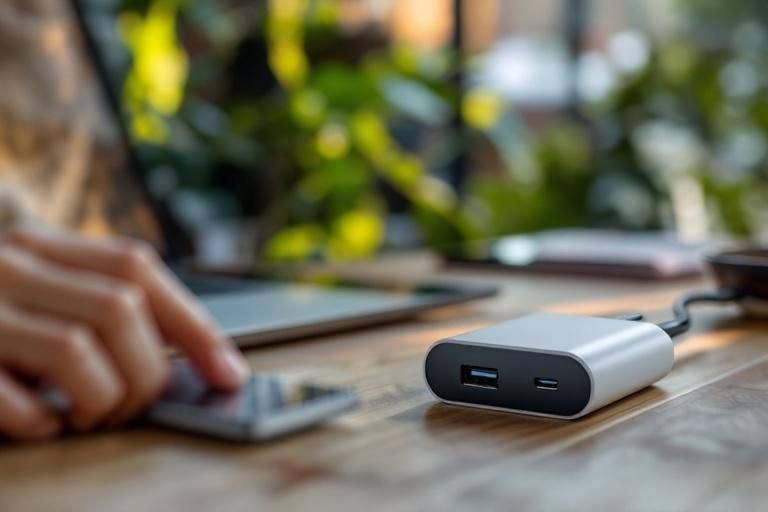
Have you ever wondered about the difference between USB C charging and barrel charger laptop options? With the increasing popularity of USB C, many laptop users find themselves confused about which charging method is best for their devices. As an expert in charging technologies, I will clarify the distinctions between these two types of chargers, helping you make informed decisions for your device needs. In this article, you will learn about the functionalities, advantages, and potential drawbacks of both USB C and barrel charger laptops, ensuring you understand their compatibility and efficiency for your charging requirements.
Understanding USB-C Charging
USB-C charging has rapidly become the standard for many devices, including laptops. This reversible connector allows for faster data transfer and higher power delivery. USB-C provides a versatile connection, supporting power, data, and video transmission over a single cable. Its design promotes ease of use, eliminating the frustration of orientation that is common with traditional connectors.
Power Delivery Capabilities
USB-C can deliver up to 100 watts of power, making it suitable for charging laptops and other high-demand devices. This capability is crucial for users who need to charge their devices quickly and efficiently, especially on the go.
Versatility and Compatibility
USB-C ports are increasingly found on a variety of devices, including smartphones, tablets, and laptops. This universality allows users to use the same charger across multiple devices, reducing the number of chargers needed and simplifying their charging setup.
Key Points:
- USB-C offers higher power delivery than many traditional chargers.
- The versatility of USB-C enhances user convenience.
💡 Consider the power requirements of your device to ensure optimal charging speed with USB-C.
Exploring Barrel Charger Technology
Barrel chargers, also known as DC adapters, have been a traditional charging method for laptops. They consist of a cylindrical plug that connects to a specific port on the laptop. While widely used, barrel chargers are generally less versatile compared to USB-C, as they are often designed for a specific voltage and current output tailored to the device they power.
Design and Functionality
Barrel connectors come in various sizes and specifications, which can limit compatibility across different devices. Each barrel charger is typically designed for a specific laptop model, meaning that using the wrong charger can damage the device or lead to inefficient charging.
Charging Speed and Efficiency
While barrel chargers can deliver substantial power to laptops, they may not support the same rapid charging speeds that USB-C does. This can result in longer charging times, especially for users who rely heavily on their devices throughout the day.
Key Points:
- Barrel chargers are less versatile compared to USB-C options.
- Using the correct barrel charger is crucial for device safety.
💡 Always use the recommended barrel charger for your laptop to avoid damage and ensure optimal performance.
Understanding USB-C Charging
USB-C charging is a versatile technology that supports data transfer, video output, and power delivery through a single port. This standard enables faster charging capabilities and is becoming increasingly common in laptops. USB-C supports Power Delivery (PD), which allows for higher wattages, making it suitable for not just smartphones but also laptops. The connector’s reversible design enhances usability, reducing the hassle of plugging in. Additionally, many modern laptops utilize USB-C ports for charging, making them more adaptable to various devices and accessories.
Power Delivery Features
Power Delivery (PD) is a significant feature of USB-C that enables devices to negotiate power levels. This means a USB-C charger can provide different wattages, allowing for faster charging times. For instance, a laptop might require 60W for fast charging while a smartphone may only need 18W. This adaptability ensures that users can utilize a single charger for multiple devices effectively.
Data and Video Capabilities
In addition to charging, USB-C can transfer data and support video output. This multifunctionality allows users to connect their laptops to external monitors or transfer large files quickly. The ability to use a single port for multiple functions reduces cable clutter, making it a more efficient option for modern users who prioritize convenience.
Key Points:
- USB-C supports higher wattages for faster charging.
- USB-C can also handle data transfer and video output, enhancing versatility.
💡 Consider adopting USB-C chargers for multiple devices to streamline your charging needs.
💡 Always check the wattage requirements of your laptop to ensure optimal charging speed.
💡 Utilize multi-port USB-C chargers to charge multiple devices simultaneously.
Barrel Charger Technology
Barrel chargers, commonly used in laptops, feature a cylindrical connector that fits into a dedicated port on the device. These chargers are often designed for specific laptops, providing a fixed voltage and amperage. While barrel chargers can deliver consistent power, they lack the versatility of USB-C. The proprietary nature of many barrel chargers means users must carry multiple chargers for different devices, which can be cumbersome. However, barrel chargers typically offer reliable performance, especially for high-wattage laptops that require stable power supply during heavy usage.
Wattage and Compatibility
Barrel chargers are generally designed for specific wattage levels tailored to the laptop’s requirements. If a charger provides insufficient power, it may lead to slow charging or battery drain during use. Users should ensure they have the correct charger to maintain device functionality and battery health over time.
Durability and Reliability
Barrel connectors are often robust, designed to withstand wear and tear. This durability can lead to longer-lasting connections compared to USB-C, especially in high-use environments. However, the fixed nature of barrel chargers can limit future compatibility as new laptop models emerge, which may favor USB-C.
Key Points:
- Barrel chargers are often device-specific and provide stable power.
- Durability can be a strong point for barrel chargers in demanding environments.
💡 Check compatibility with your laptop before purchasing a replacement barrel charger.
💡 Invest in a quality barrel charger to ensure long-term durability and reliability.
💡 Keep your charging port clean to prevent damage from dirt and debris.
EXPERT TIPS Pro Advice
Know your laptop’s charging needs
Understanding your laptop’s power requirements prevents damage from using the wrong charger, ensuring efficient and safe operation.
Invest in universal chargers
Universal chargers with multiple tips can save space and provide versatility, accommodating various devices without needing multiple chargers.
Monitor cable health regularly
Inspecting cables for wear and fraying can prolong their lifespan and maintain efficient charging, reducing risks of electrical failures.
Consider future-proofing with USB-C
As USB-C becomes increasingly standard, investing in USB-C compatible devices can enhance flexibility and convenience for future use.
Use surge protectors
Utilizing surge protectors with chargers can safeguard your devices from voltage spikes, extending their lifespan and preventing damage.
Frequently Asked Questions
Conclusion
Understanding the difference between USB-C charging and barrel chargers is crucial for optimizing laptop power solutions. USB-C offers versatility and multifunctionality, while barrel chargers maintain specific power delivery for certain devices. Evaluate your laptop’s compatibility and your charging needs to make an informed choice.
🎯 Key Takeaways:
- USB-C is a versatile, multifunctional charging standard.
- Barrel chargers are specific to laptop models and ensure stable power delivery.
- USB-C supports higher power levels and data transfer.
- Compatibility is key when considering a switch to USB-C charging.
Expert Advice: Assess your laptop’s power requirements and future-proofing needs. If your device supports USB-C, transitioning may offer significant benefits in convenience and versatility.
Explore your laptop’s specifications and consider the advantages of USB-C charging in your everyday use.








Leave a Reply