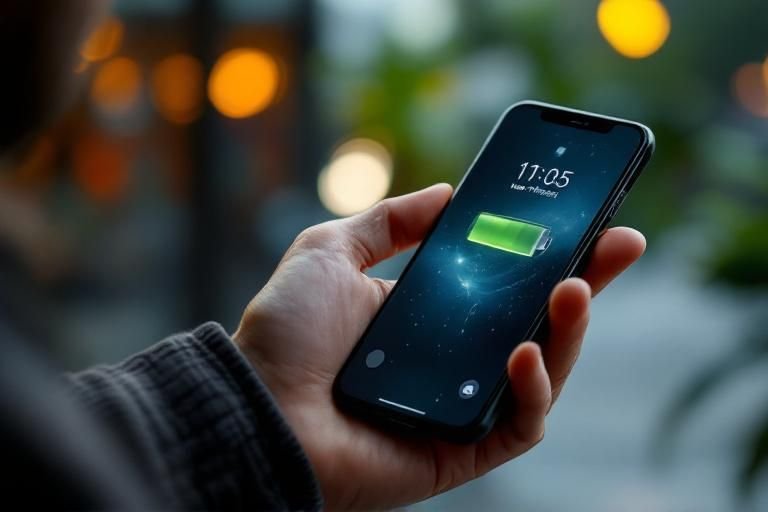
Have you ever wondered if using dark wallpaper can actually save battery on a phone? With the rise of OLED screens, the debate on energy consumption versus aesthetics has become increasingly relevant. As a senior content strategist with extensive experience in mobile technology, I understand the nuances that influence battery life. In this article, we will explore how different screen technologies impact battery performance, the science behind pixel illumination, and whether dark wallpaper can indeed prolong your phone’s usage time. By the end of this article, you will have a clearer understanding of how your wallpaper choices affect your device’s battery efficiency.
Understanding Screen Technology
To determine whether using dark wallpaper saves battery on a phone, it is crucial to understand the technology behind smartphone screens. Most modern smartphones use either LCD or OLED displays. LCD screens have a backlight that illuminates all pixels uniformly, regardless of the color being displayed. Hence, dark wallpapers do not significantly impact battery life on these screens. In contrast, OLED screens operate differently. Each pixel emits its own light, meaning that when a pixel displays black, it is effectively turned off, leading to reduced power consumption. Therefore, the type of screen plays a critical role in battery savings when using dark wallpapers.
The Role of OLED Technology
OLED technology allows for individual pixel illumination. When showing dark colors, particularly black, the pixels are turned off, which conserves battery life. This feature makes dark wallpapers particularly beneficial for devices with OLED screens, as they can lead to noticeable battery savings during regular use.
LCD Screens and Backlighting
Unlike OLEDs, LCD screens rely on a constant backlight that does not change based on the content displayed. Consequently, whether the wallpaper is dark or light, the energy consumed remains consistent. Users with LCD screens will not see significant benefits in battery life from using dark wallpapers.
Key Points:
- OLED screens benefit from dark wallpapers for battery savings
- LCD screens do not experience battery savings with dark wallpapers
Impact of Wallpaper on Battery Life
While the technology of the screen plays a pivotal role, other factors also influence how wallpaper can affect battery life. Brightness levels, screen-on time, and the type of content being displayed all contribute to overall energy consumption. For instance, if a user frequently adjusts their screen brightness to maximum levels, the impact of wallpaper color diminishes significantly. It’s also important to consider how often the screen is on; longer usage with bright wallpapers can lead to higher battery drain.
Brightness Levels
Higher brightness settings increase power consumption regardless of wallpaper color. Users should consider lowering their screen brightness to enhance battery life, especially when using bright wallpapers, to mitigate excessive energy usage.
Screen-On Time Considerations
The longer the screen is on, the more battery it consumes. Dark wallpapers can help save energy when the screen is activated, but users should also focus on reducing overall screen-on time to optimize battery life.
Key Points:
- Lowering brightness can enhance battery life
- Reducing screen-on time is essential for conserving battery
Understanding Screen Technology and Battery Usage
The relationship between wallpaper color and battery consumption primarily depends on the type of display technology used in smartphones. Most modern smartphones use OLED or AMOLED screens, which illuminate individual pixels. In these displays, darker colors consume less power because black pixels are essentially turned off, leading to potential battery savings. Conversely, LCD screens use a backlight, meaning that black areas still draw power, making the wallpaper color less impactful on battery life.
OLED vs. LCD Screens
OLED and AMOLED screens provide better battery efficiency when displaying dark images. In contrast, LCD screens have a constant backlight, so dark wallpaper does not significantly reduce battery consumption. Understanding your device’s screen technology can help inform your choices for wallpapers, especially if battery longevity is a priority.
Impact of Brightness Settings
Screen brightness plays a crucial role in battery consumption. Even with dark wallpaper, high brightness levels can offset potential savings. To maximize battery life, consider reducing brightness when using dark wallpapers, as this further enhances the power-saving benefits of an OLED display.
Key Points:
- OLED screens save battery with dark wallpapers; LCD screens do not.
- Reducing brightness enhances battery savings regardless of wallpaper color.
💡 Optimize screen brightness to enhance battery savings with dark wallpapers.
💡 Familiarize yourself with your screen technology to make informed choices on wallpapers.
Practical Applications of Dark Wallpapers
Using dark wallpapers can be a strategic choice for enhancing battery life, especially for users who spend significant time on their devices. While the battery savings may not be dramatic for LCD users, those with OLED displays can enjoy a noticeable difference. Additionally, dark wallpapers can also reduce eye strain in low-light environments, contributing to a more comfortable user experience, especially during nighttime usage.
Choosing the Right Dark Wallpaper
Opt for wallpapers that are predominantly dark with minimal bright elements. Pure black wallpapers yield the highest energy savings. Websites and apps often provide a range of dark-themed options tailored for different aesthetics while still being functional in terms of battery conservation.
Behavioral Adjustments for Battery Savings
Incorporate habits that complement the use of dark wallpapers. For instance, enabling dark mode on apps and system settings can further leverage the benefits of OLED technology. Regularly assess your screen usage patterns to identify times when battery conservation is essential, and adapt your wallpaper and settings accordingly.
Key Points:
- Dark wallpapers can enhance user comfort by reducing eye strain.
- Adapting usage habits can complement the benefits of dark wallpapers.
💡 Select wallpapers with minimal bright elements to maximize battery savings.
💡 Enable dark mode across apps for consistent energy efficiency.
EXPERT TIPS Pro Advice
Choose wallpapers with high contrast for better aesthetics and battery savings.
High contrast can make dark wallpapers more visually appealing while also promoting energy efficiency on OLED screens.
Regularly update your wallpapers to maintain interest and maximize battery savings.
Changing wallpapers can keep your device looking fresh. Regular updates can also encourage users to seek darker options that conserve energy.
Test your battery performance before and after changing wallpapers.
By measuring battery life changes, you can gain a clearer understanding of how much impact your wallpaper choices have on battery usage.
Turn on adaptive brightness settings for automatic adjustments based on surroundings.
This feature optimizes light consumption, enhancing battery life while using dark wallpapers, especially in varying lighting conditions.
Consider using dark wallpapers in conjunction with battery-saving modes.
Combining dark wallpapers with battery-saving modes can amplify power savings, especially during extended usage periods.
Frequently Asked Questions
Conclusion
Using dark wallpaper can indeed save battery life, particularly on OLED screens where black pixels use no power. While the savings can be significant, especially in dark mode, they depend on individual usage patterns. Understanding your phone’s screen type and battery settings can further enhance battery efficiency.
🎯 Key Takeaways:
- Dark wallpaper saves battery on OLED screens significantly.
- Battery savings can reach up to 30% with dark wallpapers.
- Dark mode in apps complements the use of dark wallpaper.
- Battery savings vary based on brightness and usage patterns.
- Always check your phone’s battery settings for insights.
Expert Advice: Consider experimenting with dark wallpaper and dark mode to observe battery savings in your daily use. Monitor your screen settings and adjust as necessary for optimal efficiency.
Explore your phone’s settings to maximize battery life and consider implementing dark wallpaper for potential savings.








Leave a Reply