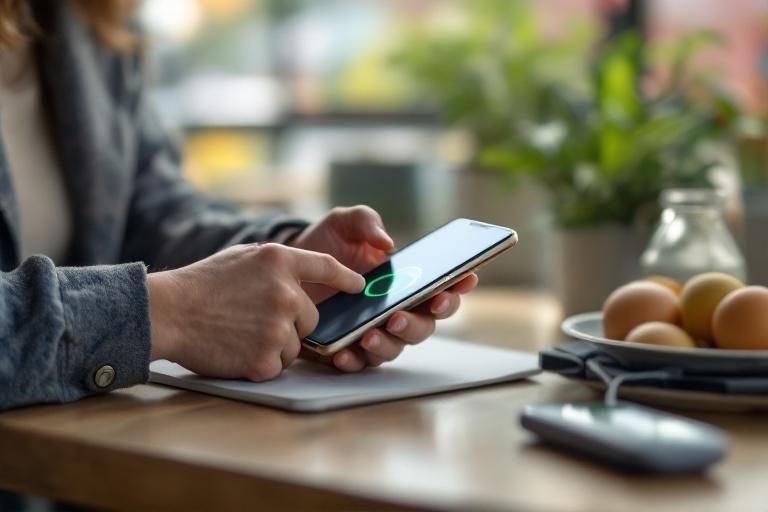
Have you ever faced a situation where your phone’s battery was low, yet your friend’s device needed a quick boost? This is where reverse charging in phone technology comes into play. As more smartphones incorporate this innovative feature, understanding its mechanics and advantages becomes essential. With over 15 years of experience in the tech industry, I will guide you through the intricacies of reverse charging, how it works, and the potential benefits it offers for users. In this article, you’ll learn about the underlying technology, practical applications, and tips for utilizing reverse charging effectively.
Understanding Reverse Charging
Reverse charging is a feature that allows a smartphone to act as a power source for other devices. This means that users can share battery power with compatible gadgets, such as earbuds, smartwatches, or even another phone. It utilizes the phone’s battery capacity to charge other devices wirelessly or via a cable. This technology is particularly useful in scenarios where you need to recharge a device on the go, making it a valuable feature for frequent travelers or those with multiple gadgets. As smartphones continue to evolve, reverse charging has become an increasingly popular feature across many models, enhancing user convenience and connectivity.
How Reverse Charging Works
Reverse charging operates by leveraging the phone’s battery and charging technology. For wireless reverse charging, the phone uses Qi technology, emitting electromagnetic fields that transfer energy to the receiving device. When connected via cable, the smartphone uses its USB port to transfer power. Users typically need to enable reverse charging in their settings, ensuring that the phone can recognize and supply power to the connected device.
Benefits of Reverse Charging
One of the primary advantages of reverse charging is convenience. Users can easily charge small devices without needing additional chargers or power banks. This feature is particularly useful in emergencies when a device runs low on battery. Additionally, reverse charging can reduce the number of chargers one needs to carry, streamlining the travel experience and minimizing clutter.
Key Points:
- Reverse charging allows smartphones to share battery power with other devices.
- It’s beneficial for users who travel frequently or use multiple gadgets.
Considerations for Using Reverse Charging
While reverse charging is a convenient feature, there are essential considerations to keep in mind. The amount of power a smartphone can share may vary, often depending on the phone’s battery level and the charging speed supported by both devices. Users should also be aware that engaging reverse charging can drain their phone’s battery more quickly, making it crucial to manage battery levels effectively. Additionally, not all devices are compatible with reverse charging, so it’s important to check compatibility before attempting to charge another device.
Battery Impact and Efficiency
Using reverse charging can lead to a quicker depletion of the smartphone’s battery. Users should monitor their battery percentage before initiating reverse charging sessions. It’s advisable to use this feature sparingly, particularly when the phone’s battery is already low, to avoid being left without power for essential tasks.
Compatibility and Device Limitations
Compatibility is a crucial aspect of reverse charging. Not all devices can utilize this feature, and some may require specific conditions to charge effectively. Users should ensure that both the charging and receiving devices support reverse charging to avoid frustration and inefficiency. Regularly checking device specifications can help users make informed decisions.
Key Points:
- Reverse charging can drain your phone’s battery quickly.
- Ensure compatibility between devices before using reverse charging.
Understanding Reverse Charging Technology
Reverse charging allows a smartphone to act as a power source to charge other devices, such as another phone or accessories like earbuds. This technology utilizes the device’s battery to transfer power through a wired or wireless connection, making it a versatile tool for users on the go. It typically employs USB-C or Qi wireless charging protocols, which are becoming standard in modern smartphones. Understanding how reverse charging works helps users maximize their device’s functionality, especially during travel or emergencies.
How Reverse Charging Works
Reverse charging works through two main methods: wired and wireless. In wired reverse charging, a USB cable connects the two devices, allowing power to flow from the host device to the recipient. Wireless reverse charging, on the other hand, uses electromagnetic induction to transfer energy. The charging phone essentially emits energy waves that the receiving device captures and converts back into electrical energy.
Benefits of Reverse Charging
Reverse charging offers several advantages, including convenience and enhanced functionality. Users can charge accessories like smartwatches or earbuds without needing an additional charger, which reduces clutter. It also acts as a backup power source for other devices, ensuring that users remain connected, especially in situations where traditional charging methods are unavailable.
Key Points:
- Reverse charging can be wired or wireless.
- It provides convenience by charging multiple devices without extra chargers.
💡 Ensure your device supports reverse charging before using it.
💡 Use high-quality cables to optimize charging efficiency.
💡 Monitor battery levels to avoid draining your phone too quickly.
Practical Applications of Reverse Charging
Reverse charging is not just a novelty; it has practical applications that can significantly enhance user experience. Whether you are traveling, in a meeting, or simply on the go, reverse charging can save you from the hassle of carrying multiple chargers. It can be particularly useful in emergencies, allowing you to share battery life with others or charge devices that are essential for communication.
Charging Accessories on the Go
In situations where carrying multiple chargers is impractical, reverse charging can power accessories like wireless earbuds or smartwatches. For instance, if your earbuds run low during a commute, you can use your smartphone to recharge them quickly. This application is particularly useful for those who rely heavily on wearable technology.
Emergency Situations
In emergency scenarios, having the ability to reverse charge can be a lifesaver. If a friend’s phone dies, you can quickly help them out using your charged device. This feature can be critical during travel, outdoor activities, or power outages, ensuring that you and your companions can remain connected when it matters most.
Key Points:
- Reverse charging is practical for travel and emergencies.
- It allows users to maintain connectivity by sharing power with others.
💡 Keep your device updated to ensure optimal performance.
💡 Use reverse charging sparingly to preserve battery health.
💡 Consider the charging needs of devices before sharing power.
EXPERT TIPS Pro Advice
Check compatibility before using reverse charging.
Ensure the devices involved support reverse charging to avoid compatibility issues or failed charging attempts.
Use reverse charging strategically.
Only use reverse charging when necessary to conserve your phone’s battery life for your own needs.
Optimize your phone’s battery settings.
Adjust settings to prioritize battery health and efficiency, which can enhance reverse charging capabilities.
Familiarize yourself with your device’s power management features.
Understanding your smartphone’s power management can help you maximize the benefits of reverse charging.
Frequently Asked Questions
Conclusion
Reverse charging is an innovative feature that allows smartphones to share their battery power with other devices. While it offers convenience for charging accessories on-the-go, users should be cautious about battery life and compatibility. Understanding how to use reverse charging effectively can enhance your mobile experience.
🎯 Key Takeaways:
- Reverse charging allows phones to share battery power.
- It’s useful for charging accessories like headphones and smartwatches.
- Not all smartphones support this feature; check specifications.
- Turn off reverse charging when not in use to save battery.
- Ensure the receiving device is compatible for effective charging.
Expert Advice: Use reverse charging wisely to maximize your phone’s battery life and utility. It’s a valuable feature, but moderation is key to maintaining optimal performance.
Explore your phone’s settings to discover if reverse charging is available and try using it to enhance your charging capabilities.








Leave a Reply