
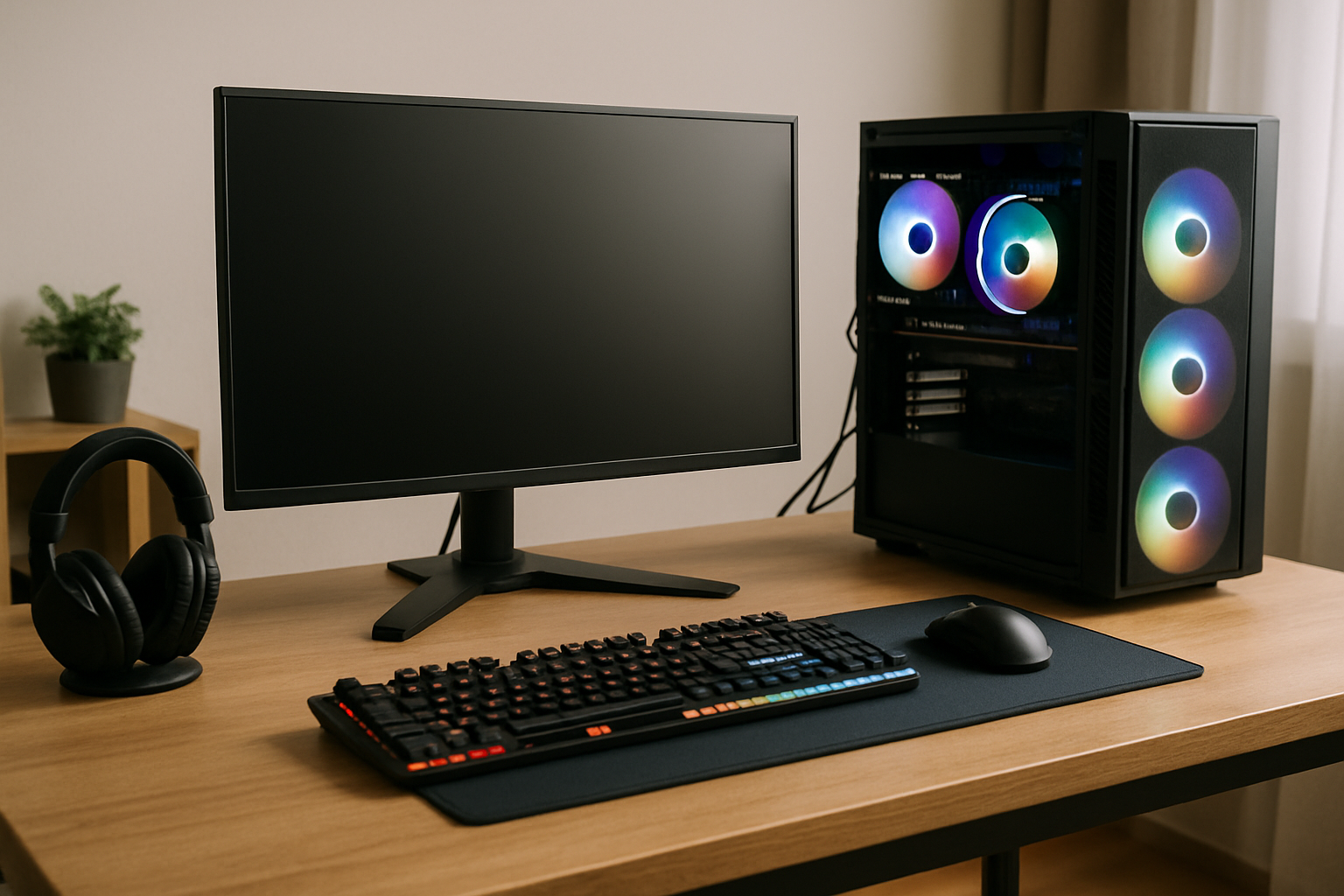
Are you dreaming of an immersive gaming experience without breaking the bank? Building a budget gaming setup can seem daunting, but with the right guidance, it’s entirely achievable. With over 15 years of expertise in gaming solutions, I will walk you through the essential steps to create an effective gaming environment that fits your financial plan. In this article, you will learn how to prioritize your spending, choose the right components, and optimize your setup for performance, all while staying within budget. Let’s dive into the world of budget gaming setups and unlock the potential for an amazing gaming experience without overspending.
Understanding Your Budget and Needs
The first step in building a budget gaming setup is to assess your financial situation and gaming requirements. Determine how much you can afford to spend while considering both immediate and future expenses. A clear budget will help you prioritize components, ensuring that essential items are not overlooked. Additionally, consider the type of games you play, as some may require more powerful hardware than others. Assessing your needs will guide your selections and avoid overspending on unnecessary features.
Setting a Realistic Budget
Creating a budget involves looking at your total available funds and dividing them among different components like the PC, monitor, and peripherals. A good rule of thumb is to allocate around 60% for the main hardware, 20% for peripherals, and 20% for future upgrades or accessories. This breakdown helps ensure a balanced setup without compromising on critical components.
Identifying Gaming Preferences
Understanding the types of games you enjoy can significantly influence your setup. If you favor graphically intensive games, invest more in a capable graphics card. Alternatively, if you play less demanding games, you can allocate funds to other areas, such as a better monitor or comfortable seating. Knowing your gaming habits will help you make informed decisions.
Key Points:
- Assess your financial situation to create a viable budget.
- Determine gaming preferences to guide component selection.
💡 Prioritize essential components over aesthetics.
💡 Research the minimum requirements for your favorite games.
Essential Components for a Budget Gaming Setup
When building a budget gaming setup, focusing on essential components is crucial. A balanced setup typically includes a computer (desktop or laptop), monitor, keyboard, mouse, and audio output. Each element plays a vital role in the overall gaming experience, so prioritizing quality and compatibility is key. Remember that you don’t need the latest models; older versions often provide adequate performance for a budget.
Choosing the Right Computer
Your computer is the heart of your gaming setup. Decide between a pre-built option or building one from scratch. If you choose the latter, prioritize a decent CPU and GPU combo, as they significantly influence gaming performance. For budget-friendly options, consider refurbished or second-hand components that still offer good performance.
Selecting a Monitor and Peripherals
A good monitor is crucial for an immersive gaming experience. Look for a monitor with a decent refresh rate and resolution. As for peripherals, focus on a comfortable keyboard and a responsive mouse, which can enhance gameplay significantly. While aesthetics are nice, functionality should always come first.
Key Points:
- Focus on essential components that impact gaming experience.
- Balance performance with budget when selecting hardware.
💡 Opt for second-hand components to save costs.
💡 Consider a monitor with adaptive sync technology for smoother gameplay.
Setting Your Budget and Priorities
Before diving into the components of a budget gaming setup, it’s crucial to establish a clear budget and prioritize your needs. Determine how much you can realistically spend, considering both initial costs and potential upgrades. This helps in making informed decisions about hardware and peripherals. Prioritize components based on gaming performance, such as the CPU and GPU, as these have the most significant impact on your gaming experience. Balance your budget to allow for essential peripherals like a monitor, keyboard, and mouse, which can make a difference in gameplay.
Establishing a Budget
Start by assessing your total budget for the gaming setup. A good approach is to allocate funds across various components, typically 50% for the PC, 30% for peripherals, and 20% for accessories. This allocation ensures a balanced setup that caters to all aspects of gaming.
Identifying Priorities
Once your budget is set, identify which components need the most attention. For instance, if you’re into competitive gaming, prioritize a high-refresh-rate monitor and a responsive mouse. If you enjoy immersive experiences, invest in a better GPU. Understanding your gaming style will guide your spending.
Key Points:
- Establish a clear budget before shopping.
- Prioritize components based on gaming performance.
💡 Set a flexible budget that allows for adjustments based on component prices and availability.
💡 Research component benchmarks to understand their performance relative to your gaming preferences.
Selecting Components Wisely
Choosing the right components is essential for building a budget gaming setup that performs optimally. Start with the CPU and GPU, as they are the core of your system’s performance. Aim for a balance between cost and power, taking advantage of sales or discounts on previous-generation models. Additionally, consider the motherboard and RAM carefully, ensuring compatibility and enough capacity for gaming needs. Lastly, factor in storage options; an SSD can significantly improve load times without breaking the bank.
Core Components: CPU and GPU
The CPU and GPU are the heart of your gaming rig. Look for CPUs that offer good multi-threading capabilities and GPUs that can handle the games you want to play. Research comparisons between various models to find the best performance at the lowest price.
Memory and Storage Solutions
For RAM, 16GB is generally sufficient for gaming, but ensure it is compatible with your motherboard. Opt for an SSD for your operating system and frequently played games; it enhances loading times significantly compared to traditional hard drives.
Key Points:
- Focus on CPU and GPU for performance.
- Invest in SSD for improved gaming speed.
💡 Always check compatibility between components before purchasing.
💡 Consider buying used or refurbished parts for savings.
EXPERT TIPS Pro Advice
Research before buying
Understanding current market prices and reviews can help you snag the best deals and avoid poor investments.
Emphasize future upgrades
Choose components that allow for upgrades down the line, ensuring your setup remains viable as gaming demands increase.
Join gaming communities
Participating in forums or social media groups can provide insights, tips, and even recommendations for budget setups.
Frequently Asked Questions
Conclusion
Building a budget gaming setup requires careful selection of components that balance performance and cost. Focus on essential parts, consider second-hand options, and prioritize comfort with peripherals. With the right approach, you can create an enjoyable gaming environment without overspending.
🎯 Key Takeaways:
- Essential components include a capable PC, monitor, keyboard, and mouse.
- Save money by buying used parts or building your own PC.
- A good monitor enhances gaming graphics and responsiveness.
- Investing in a comfortable chair improves long gaming sessions.
- Budget setups can be built under $500 with smart choices.
- Prioritize performance and compatibility over aesthetics.
Expert Advice: Carefully plan your budget and make informed choices about each component. Focus on what enhances your gaming experience the most, and don’t hesitate to upgrade as your needs grow.
Start researching components today, and take the first step toward creating your ideal gaming setup!