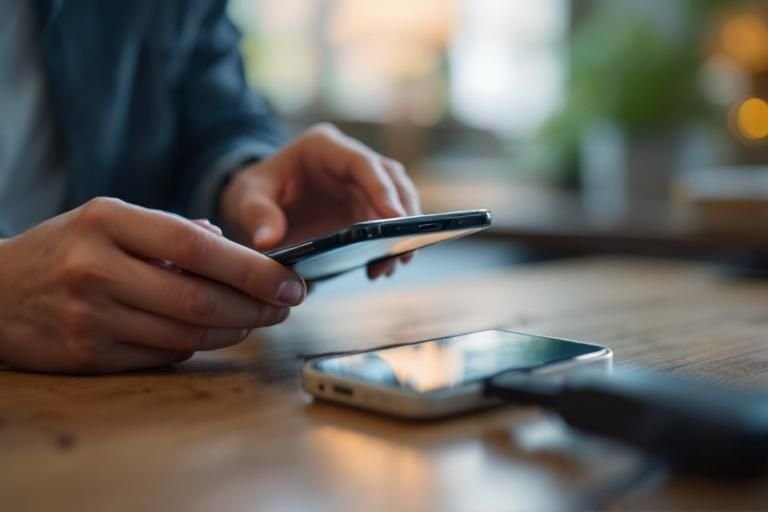
Have you ever found yourself frustrated by a loose charging port on your phone, wondering why it seems to disconnect at the slightest movement? You’re not alone—this is a common issue that can disrupt your daily life. As a seasoned expert in mobile device maintenance, I can shed light on the various factors that contribute to a loose charging port. In this article, you’ll learn about the common causes behind this problem, how to identify them, and tips for preventing future issues. Understanding why your charging port is loose can empower you to take appropriate action and keep your device functioning optimally.
Understanding the Charging Port Mechanics
The charging port is a crucial component of your phone, allowing it to receive power and data. Over time, wear and tear can lead to a loose charging port, resulting in connectivity issues. The design of the port includes metal contacts that align with the charging cable to facilitate a secure connection. Continuous insertion and removal of the charging cable can cause these contacts to wear down or misalign, leading to a loose fit. Additionally, dust and debris can accumulate inside the port, further exacerbating the issue. Understanding these mechanics is essential for identifying the underlying causes of a loose charging port and addressing them effectively.
Common Causes of a Loose Charging Port
Several factors can lead to a loose charging port. Frequent use of the charging cable can cause the port to loosen due to mechanical stress. If the cable is yanked or twisted while plugged in, this can misalign the internal components. Environmental factors, such as exposure to moisture or dust, can also deteriorate the integrity of the charging port. Over time, these issues can compromise the connection, leading to charging problems.
Signs of a Loose Charging Port
Recognizing the signs of a loose charging port is vital for timely intervention. If you notice that the charging cable does not stay securely in place or if it requires jiggling to establish a connection, these are indicators of looseness. Additionally, if your phone charges intermittently or the charging icon flickers, it may suggest issues with the port. Being aware of these signs can help you address problems early and prevent further damage.
Key Points:
- Wear and tear can cause a loose fit in the charging port
- Dust and debris can accumulate and affect connectivity
Preventing Damage to Your Charging Port
Taking preventive measures can significantly extend the lifespan of your phone’s charging port. Regularly cleaning the port can help remove dust and debris that may cause connectivity issues. Using the correct charging cable and avoiding excessive force during insertion can also help maintain the integrity of the port. Additionally, consider using a cable management system to reduce stress on the charging connection. By being proactive, you can minimize the risk of damaging the charging port and ensure a reliable charging experience.
Regular Maintenance Tips
To keep your charging port in good condition, make it a habit to inspect and clean it regularly. Use a soft, dry brush or a can of compressed air to gently remove any dust or debris. Be cautious not to insert anything into the port that could cause damage. Regular maintenance not only ensures a better connection but also prevents long-term damage due to accumulation of foreign particles.
Smart Usage Habits
Adopting smart usage habits can further protect your charging port. Always hold the connector, not the cable, when plugging or unplugging to prevent strain on the port. Avoid bending the cable sharply, as this can create tension that may loosen the connection over time. By practicing these habits, you can greatly reduce the likelihood of a loose charging port.
Key Points:
- Regular cleaning can prevent connectivity issues
- Smart usage habits protect the charging port from damage
Understanding the Causes of a Loose Charging Port
A loose charging port can be frustrating and inconvenient, affecting your phone’s ability to charge effectively. Common causes of this issue include wear and tear, debris accumulation, and manufacturing defects. Over time, frequent plugging and unplugging can lead to physical damage to the port, causing it to become loose. Additionally, dirt and lint can accumulate inside the charging port, obstructing the connection between the cable and the port. Lastly, some phones may have inherent design flaws that make the charging port more susceptible to looseness, especially after prolonged use.
Wear and Tear from Use
Constantly inserting and removing the charging cable can lead to wear on the contacts within the port. This wear can cause the port to become loose over time, making it difficult to maintain a solid connection for charging. Regularly inspecting and replacing worn cables can help mitigate this issue.
Debris and Dust Accumulation
Debris and dust can accumulate in the charging port, preventing a secure connection. Regular cleaning of the port with a soft brush or compressed air can help maintain optimal function. Ensure the phone is powered off before cleaning to avoid damage.
Manufacturing Defects
In some cases, a loose charging port may be due to manufacturing defects. If the port was not properly anchored or assembled during production, it may become loose over time. If you suspect a defect, consider consulting a professional for evaluation.
Key Points:
- Loose charging ports can result from wear and tear, debris, or defects.
- Regular maintenance can help prevent charging issues.
💡 Inspect your charging cable regularly for signs of wear.
💡 Clean your charging port weekly to prevent debris accumulation.
💡 Consult a professional if you notice any unusual charging behavior.
Addressing a Loose Charging Port
If you find that your phone’s charging port is loose, there are several steps you can take to address the issue. First, ensure that the charging cable is undamaged and securely fits into the port. If the port is clean and the cable is functional, you may need to take further action. For minor looseness, gently adjusting the cable while charging might help maintain a connection. However, significant looseness may require repair or replacement of the port. It’s important to assess the situation carefully before deciding on the next steps.
Testing the Charging Cable
Before taking further action, test the charging cable with another device to ensure it functions properly. If the cable is the issue, replacing it will solve the problem. This step helps identify whether the problem is with the cable or the phone itself.
Temporary Fixes for Minor Issues
If the charging port feels slightly loose, try using a rubber band or a small piece of tape around the cable to hold it in place while charging. This can serve as a temporary fix until a more permanent solution is found, allowing you to continue using your device.
Seeking Professional Repair
If your phone’s charging port is significantly loose, it may require professional repair. Technicians can assess whether the port can be tightened or if it needs replacement. This is often the safest option to ensure the integrity of your device.
Key Points:
- Testing the charging cable can save time and effort.
- Temporary fixes can provide short-term relief, but professional repair is recommended for serious issues.
💡 Test your cable with another device before assuming the port is the issue.
💡 Use temporary fixes sparingly; they’re not long-term solutions.
💡 Seek professional help for significant problems to avoid further damage.
EXPERT TIPS Pro Advice
Regularly inspect charging cables and ports.
Regular inspections can help catch early signs of wear and prevent further damage to the charging port.
Avoid forcing the cable into the port.
Forcing the cable can cause additional damage to the port, leading to more severe issues down the line.
Store your phone in a lint-free environment.
Keeping your phone in a clean environment reduces the risk of dust and debris accumulating in the charging port.
Use a protective case with port covers.
A case with port covers can help keep the charging port clean and reduce the risk of damage.
Keep your phone firmware updated.
Software updates can sometimes include optimizations for hardware performance, including charging functionality.
Frequently Asked Questions
Conclusion
A loose charging port can significantly impact your phone’s functionality, often resulting from wear and tear or debris buildup. Regular maintenance like cleaning and careful handling can help prevent issues. If problems persist, professional repair is recommended to ensure proper function.
🎯 Key Takeaways:
- Loose charging ports can arise from dirt, wear, or damage.
- Cleaning the port may resolve minor looseness issues.
- Avoid DIY repairs unless you’re experienced to prevent further damage.
- Minimize usage if your charging port is loose to avoid complications.
Expert Advice: Stay vigilant about your phone’s condition and address any charging issues promptly. Regular maintenance can prolong the life of your device and help you avoid costly repairs.
Consider examining your charging habits and keeping your phone clean to enhance its longevity.








Leave a Reply