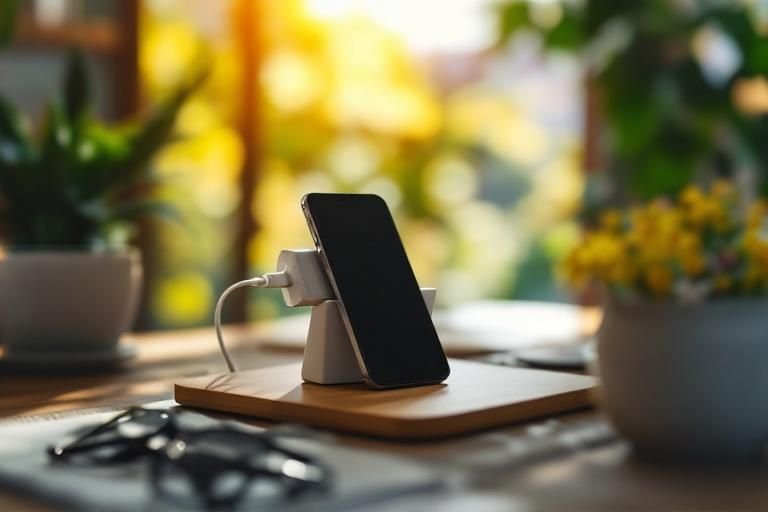
Have you ever noticed that your phone stops charging when it gets too hot? This frustrating issue can disrupt your day and leave you searching for answers. In fact, overheating is a common problem that affects many smartphone users. As a senior SEO content strategist with over 15 years of experience, I understand the intricacies of smartphone technology and its impact on user experience. In this article, we will explore why your phone stops charging when hot, the science behind overheating, and preventative measures you can take to ensure your device remains charged and healthy. Read on to uncover practical insights and solutions to keep your phone functioning optimally.
Understanding Phone Charging Mechanisms
To grasp why a phone stops charging when hot, it’s essential to understand how charging mechanisms work. A smartphone typically uses lithium-ion batteries, which require a specific voltage range to charge effectively. When charging, the battery generates heat due to the chemical reactions taking place inside. If the temperature exceeds the optimal range, the phone may stop charging to protect the battery and internal components from damage. This safety feature helps prolong battery life by preventing overheating.
The Role of Temperature in Battery Health
Temperature plays a crucial role in battery health and performance. Lithium-ion batteries function best between 20°C to 25°C (68°F to 77°F). At higher temperatures, the battery’s chemical processes can become unstable, leading to reduced efficiency and potential damage. Maintaining an ideal temperature helps ensure that the battery charges properly and maintains its lifespan.
Charging Circuitry and Safety Features
Modern smartphones are equipped with advanced charging circuitry designed to monitor battery temperature. When the device detects excessive heat, it may limit or halt charging entirely to protect internal components. This proactive approach minimizes risks such as battery swelling or electronic failures, ensuring the phone remains safe to use.
Key Points:
- Lithium-ion batteries generate heat during charging
- Safety features prevent overheating damage
Common Causes of Overheating During Charging
Several factors can contribute to a phone overheating while charging, leading to interruptions in the charging process. Environmental conditions, such as charging in direct sunlight or using the phone while charging, can elevate temperatures. Additionally, malfunctioning chargers or cables can also generate excess heat. Identifying these factors can help in managing charging conditions effectively and preventing overheating.
Environmental Factors
Charging your phone in a hot environment, such as leaving it in a car on a sunny day, can quickly raise its temperature. This external heat source can cause the internal components to heat up, triggering the phone’s safety features and halting the charging process. It’s best to charge devices in a cool, shaded area to avoid this issue.
Using the Phone While Charging
Using your phone for resource-intensive tasks like gaming or streaming while it is charging can lead to increased heat generation. The combination of charging and active use can push the device beyond its thermal limits, prompting it to stop charging. Limiting usage during charging can help prevent overheating.
Charger and Cable Quality
Using faulty or incompatible chargers and cables can introduce inefficiencies and excess heat during the charging process. Over time, wear and tear on these accessories can lead to poor connections, resulting in overheating. Regularly inspecting and replacing worn-out charging components can help maintain safe charging practices.
Key Points:
- Environmental conditions affect charging temperature
- Resource-intensive tasks can lead to overheating
Understanding the Heat Sensitivity of Phone Batteries
Phone batteries, primarily lithium-ion, are sensitive to temperature changes. When a phone becomes too hot, the battery management system activates safety protocols to prevent overheating, which can lead to damage. This is especially common during intensive tasks like gaming or video streaming. The charging process generates heat, and when combined with an already warm environment, it may trigger the phone to stop charging to protect its components. Understanding this mechanism is vital for maintaining battery health and ensuring optimal performance.
How Heat Affects Battery Health
Excessive heat can lead to accelerated battery degradation and reduced lifespan. High temperatures can cause lithium-ion cells to swell or leak, resulting in permanent damage. Regularly exposing your phone to heat, such as leaving it in a hot car, can significantly impact its long-term performance and safety. Therefore, monitoring the operating temperature is crucial for preserving battery integrity.
Signs of Overheating
Common signs that your phone is overheating include excessive warmth during use, slower performance, or unexpected shutdowns. If your phone stops charging and feels unusually hot, it’s likely a protective measure. Recognizing these signs can help you take timely action, such as moving the device to a cooler environment or ceasing resource-intensive activities.
Key Points:
- Heat can trigger safety protocols, stopping the charging process.
- Consistent exposure to high temperatures can damage battery health.
💡 Keep your phone in a cool place while charging to prevent overheating.
💡 Avoid using intensive applications while the phone is charging to minimize heat generation.
💡 Regularly check your phone’s charging port for dust or debris that can trap heat.
Preventing Overheating During Charging
To ensure your phone charges efficiently without interruptions, it’s essential to adopt practices that mitigate heat buildup. Using a proper charging environment, such as avoiding direct sunlight, can significantly help. Also, consider the type of case you use—some materials can trap heat more than others. Being proactive about charging conditions can enhance battery life and performance.
Optimal Charging Conditions
Charging your phone in a well-ventilated area can help dissipate heat. If you’re in a warm environment, consider placing the phone on a hard surface rather than soft materials that can insulate heat. Additionally, removing any thick cases can promote airflow and cooling during the charging process.
Managing Background Processes
Background applications can contribute to overheating. Close unnecessary apps while charging to reduce CPU and GPU activity, which generates heat. Regularly updating your device can also optimize performance and reduce resource-heavy processes that may lead to overheating.
Key Points:
- Proper ventilation is key to preventing overheating.
- Managing background processes can significantly reduce heat during charging.
💡 Charge your phone at night when it’s cooler, if possible.
💡 Switch to airplane mode while charging to minimize background activity.
💡 Turn off unnecessary features like Bluetooth and GPS during charging to reduce heat generation.
EXPERT TIPS Pro Advice
Monitor your battery health regularly
Keeping track of your battery’s health can help identify potential issues before they worsen. Many phones have built-in tools for this.
Use a fan to cool your phone while charging
A gentle breeze can help maintain a lower temperature, allowing your phone to charge safely without interruption.
Avoid fast charging in hot environments
Fast charging generates more heat. In warm conditions, consider using standard charging to reduce the risk of overheating.
Keep software updated
Updates often include optimizations that can improve battery management and efficiency, ultimately reducing overheating risks.
Frequently Asked Questions
Conclusion
Understanding why your phone stops charging when hot is crucial for maintaining its health. Overheating can result from various factors, including environmental conditions and usage habits. By following proper charging practices, you can prevent damage and ensure optimal performance.
🎯 Key Takeaways:
- Overheating can damage phone batteries.
- Use compatible chargers to avoid heat issues.
- Remove phone cases while charging to enhance cooling.
- Charge devices in cooler environments when possible.
- Monitor your phone’s temperature regularly.
Expert Advice: Stay vigilant about your phone’s temperature, especially during charging. Implementing simple practices can help maintain battery health and extend its lifespan. Always prioritize safety to avoid potential hazards.
Take a moment to assess your charging habits and ensure your phone stays cool for optimal performance.








Leave a Reply